LumiCode
A code you can read, hidden in a picture
LumiCode is a scannable code you can hide inside an ordinary photo — three encoders and one reader that pulls the message back out with a phone camera.
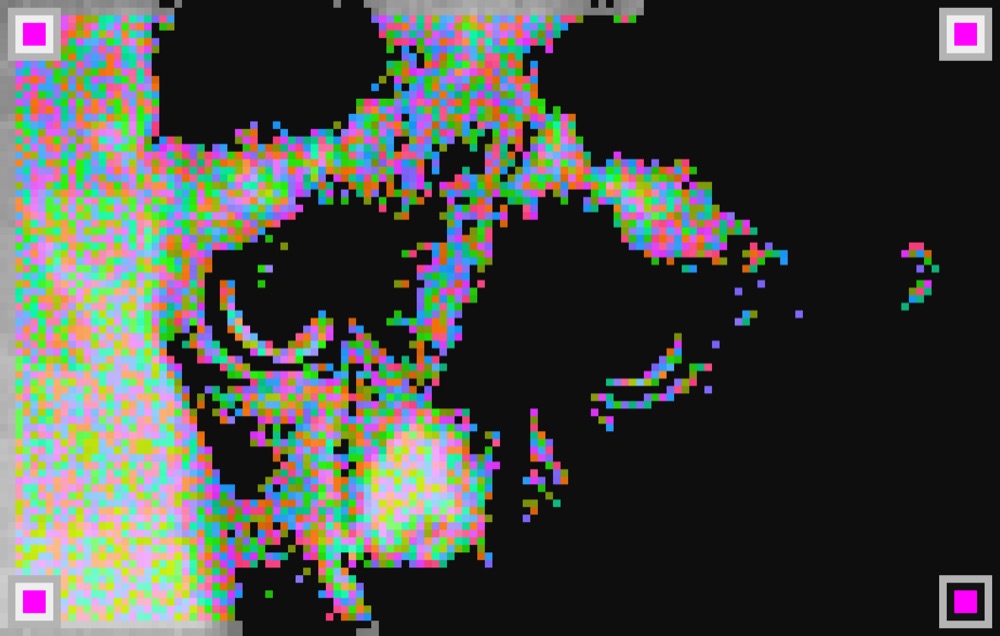
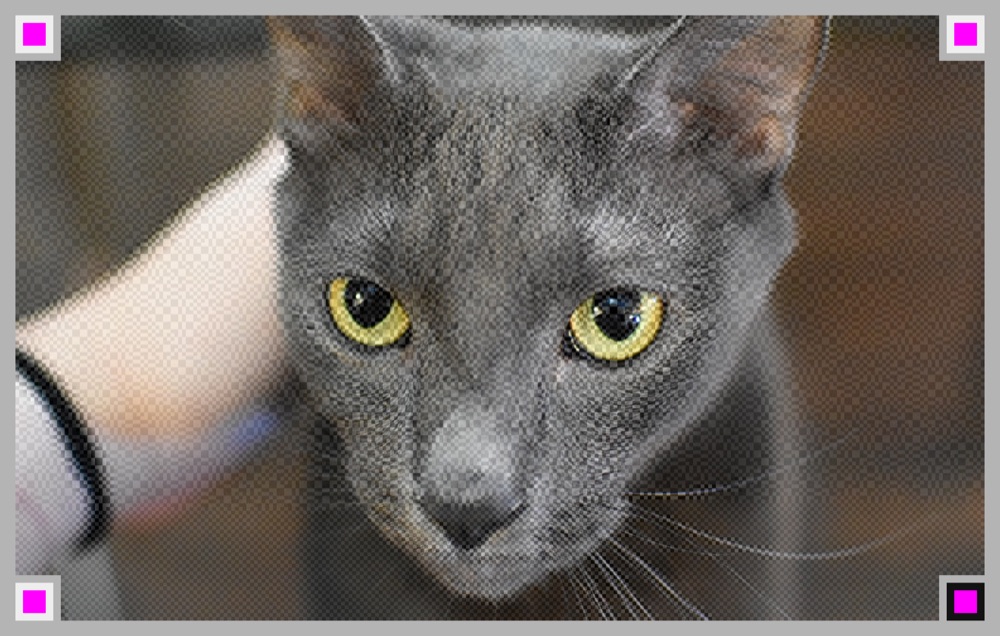

QR codes work, but they're ugly little black-and-white squares you have to design around. I wanted the opposite: a code that lives inside a picture you'd actually want to look at, and still scans.
Hiding data in an image is easy. Finding that data again through a real phone camera — under glare, at an angle, camouflaged in a busy photo — is the hard part. Every naive "find the code" pass drowns in false positives from the picture itself.
I key the corner finder squares on magenta hue, not on shape. Magenta almost never shows up in a natural photo, so the reader locks onto the four finders instantly and ignores everything else. That one decision made scanning reliable, and freed me to build three codecs on top of it — DitherCode, PhotoCode, and LumiCode — for different looks and capacities.
It's live at lumicode.quiettools.dev, with a Create studio and a gallery of all three formats. It reads off a real iPhone camera — not a simulator, an actual hand-held phone pointed at a screen or a print.
Devlog
live from git- Magenta finders: hue-keyed detection kills false positives
- Home page at index: a gallery of all three formats
- Mirror the iOS camera-capture fix into photo.html and index.html
- Fix iOS camera capture: clamp canvas below the iOS ceiling (+ orientation, live path, diagnostics)
- Add .nojekyll — skip Jekyll on Pages (static site; faster, avoids build hangs)
- DitherCode: the payload hides in the photo's own grain — read from light, not colour
- PhotoCode: keep the photo, data in bold colour dots calibrated to a swatch
- Scan tab: plain "upload an image" path (no capture) to isolate codec from camera
This is a full computer-vision loop — encode, camouflage, detect, decode — taken from idea to something that actually works on real hardware in your hand. If your hard problem is "make this reliable on a real device, not just in theory," that's the muscle this shows.